

Susanoo Wellness / Security and backups
Security and backupsYour data, kept safe and backed up.
Care records and staff files are sensitive. This page explains, in plain words, how your information is backed up, who can see it, and how every change is recorded.
A copy of everything, every day.
The backup runs on its own, separate from the service that runs the app, so a problem in one does not take the other with it.
- 01
It runs daily
A full backup runs every day, on its own.
- 02
It covers everything
Your data, sign-in records, the scheduled jobs, the full change history and every uploaded file.
- 03
It is locked
Each backup is encrypted before it leaves. The key is not kept on the servers that run the backup.
- 04
It stays in Canada
Stored on secure cloud storage in Canada, in a private location with public access blocked.
- 05
It is checked
A checksum sits beside each file, so a damaged copy is caught.
One daily copy holds all of this, so a restore brings back the whole picture, not a piece of it.
- Your data
- Sign-in records
- Scheduled jobs
- Full change history
- Certificate photos
- Incident attachments
- Receipts
Kept apart. Watched. Restored with care.
- Each organization has its own separate folder. Yours is never mixed with another's.
- Our hosting provider also keeps its own daily copies, a second layer.
- If a backup fails, we are alerted the same day. A failure is not treated as fine until a good backup succeeds.
- Restores are practised on a schedule.
- A restore is done alongside the live system first, never over it.
What we do not promise. We do not claim that data can never be lost, and we do not publish a recovery time. We describe what we do, and you can ask us about any step on the discovery call.
Only the right people, and only what they need.
Password and a code
Every account needs both. Nobody can create their own account: sign-in is by invitation only.
Sessions end on their own
A forgotten sign-in does not stay open. A locked-out person has a recovery path.
Five roles
Staff, Supervisor, Admin, IT and Org Owner. Access is set by role, and you can switch it on or off for one person.
Supervisors by house
A supervisor can be limited to the houses they look after.
No self-approval
Rules stop anyone approving their own work.
Client details on request
A worker sees a client's details only when needed, and every view is recorded.
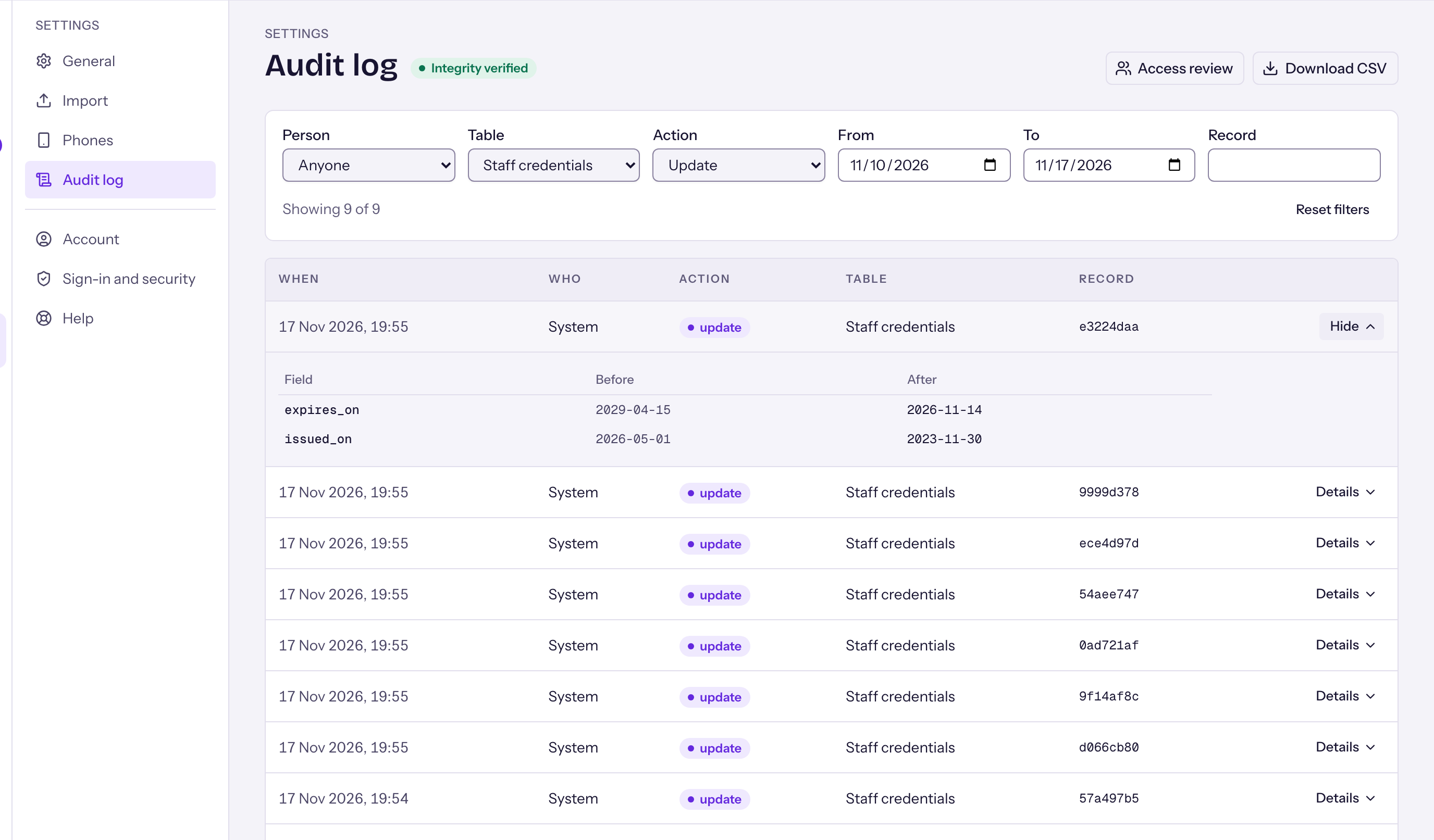
Every change leaves a trail.
The audit log records who changed what, and when, with the value before and after. Reads of client records are logged too.
Security questions
How often are backups made?
Every day, automatically. Each backup covers your data and every uploaded file.
Can anyone read a stored backup?
No. Each backup is encrypted before it is stored, and the key is kept separately from the servers that run the backup.
Where is the data held?
In Canada. Backups are kept on secure cloud storage in Canada, in a private location with public access blocked.
Is my backup mixed with other organizations?
No. Each organization has its own separate folder.
What if a backup fails?
We are alerted the same day, and the failure is not treated as fine until a good backup succeeds.
How is a restore done?
Alongside the live system first, never over it, so nothing is overwritten by mistake. Restores are practised on a schedule.
Can people create their own accounts?
No. Sign-in is by invitation only, and every account needs a password and a code.