

Susanoo Wellness / Credentials
Know who is ready to work.
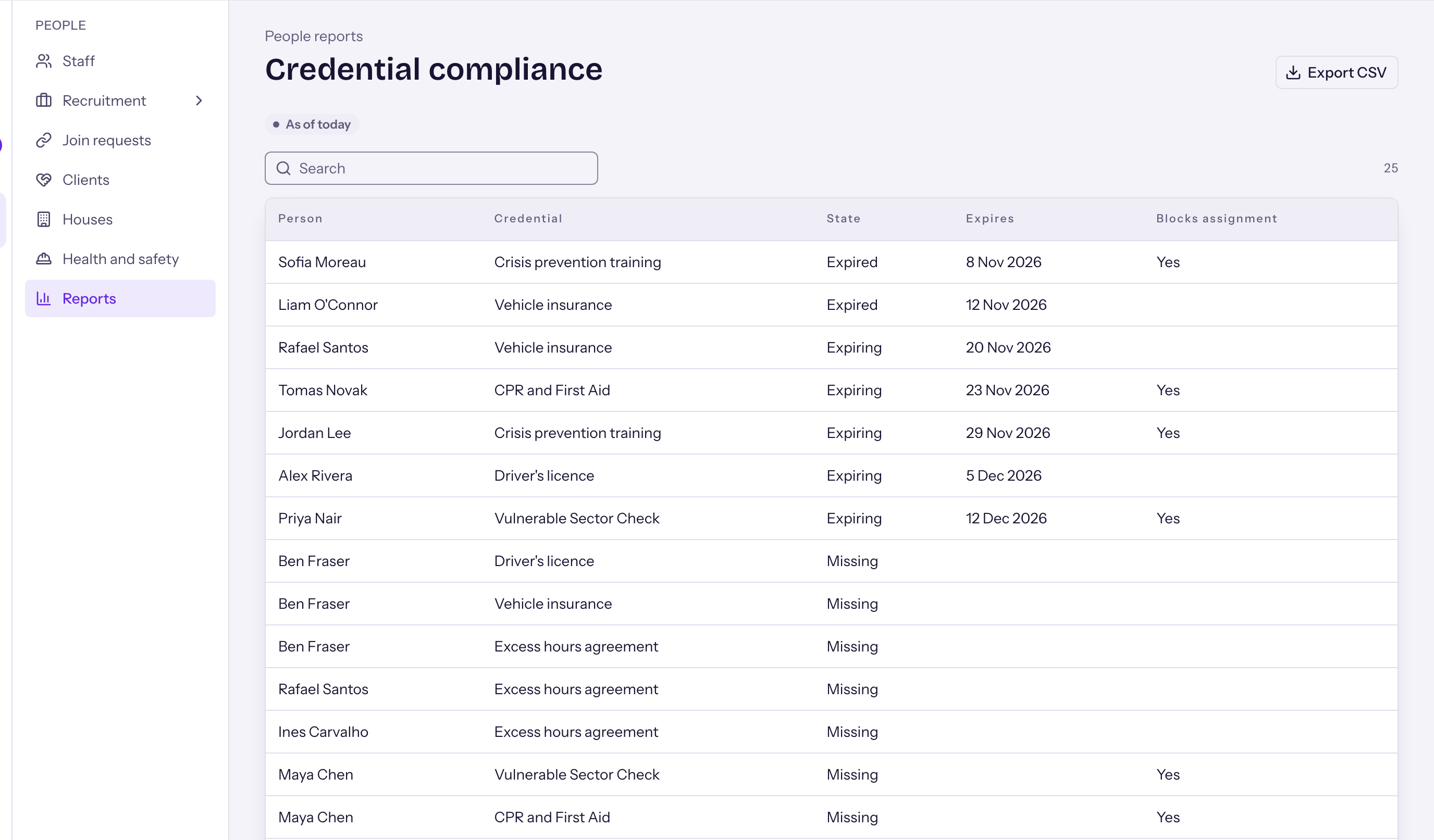
Every certificate each role needs, with proof, in one place. You get a warning before anything expires, and the schedule will not use someone whose certificate has lapsed.
A certificate matrix for each role.
See at a glance who holds what, who is about to expire, and who is blocked.
- Each role has its own list of required certificates.
- Proof is kept on file beside each certificate.
- A warning comes before a certificate expires.
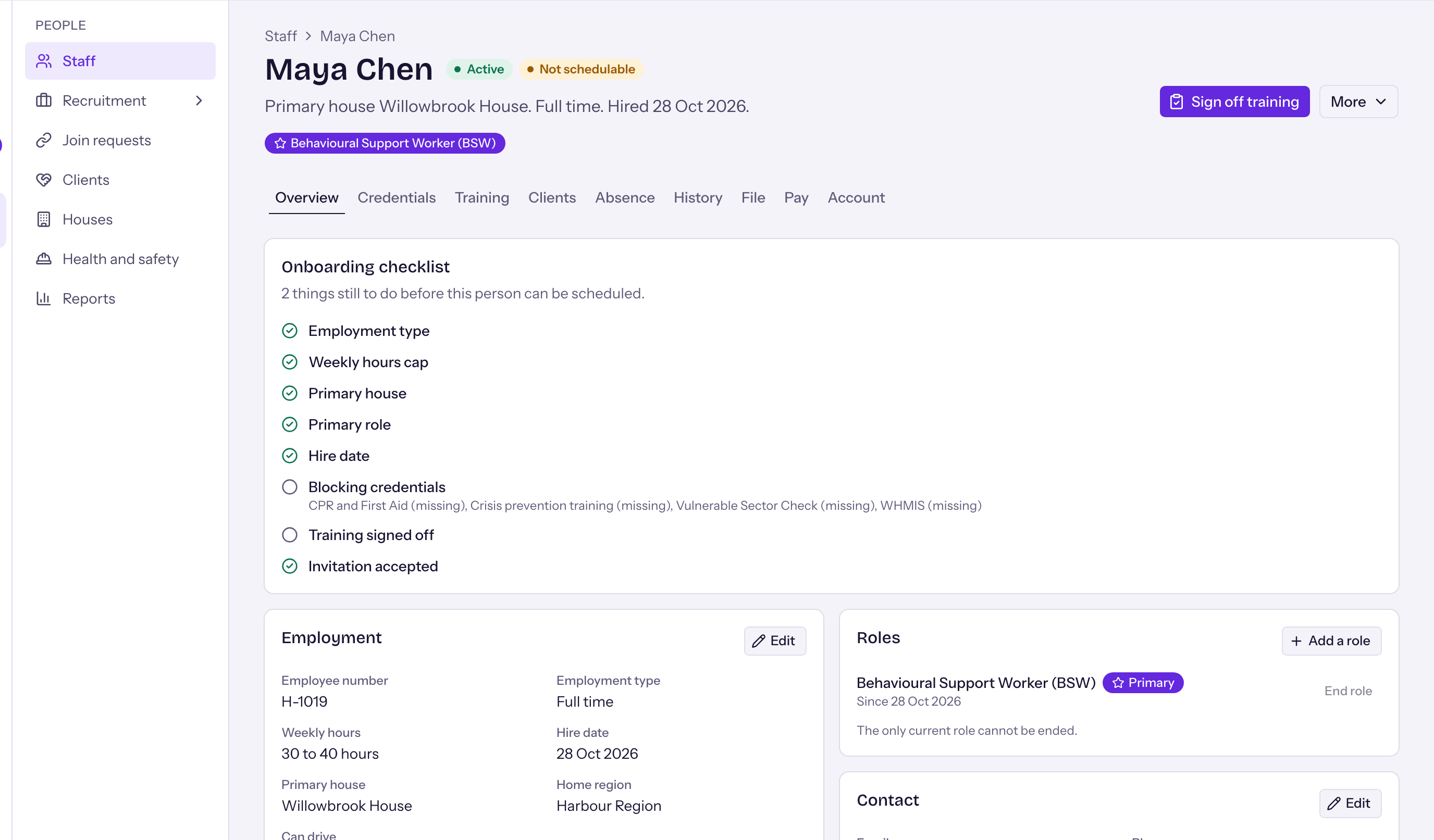
- A lapsed certificate stops scheduling until a renewal is on file.
Staff keep their own certificates current.
A warning
You get a warning before a certificate runs out.
A photo
The person photographs the renewal on their phone and sends it in.
On file
The renewal goes on file beside the certificate.
Back on the roster
Once the renewal is on file, the person can be scheduled again.
Everything about a person, on one record.
- An employee file with shelves, access for each shelf, versions and signatures.
- Onboarding checklists and training sign-off.
- Probation and yearly reviews that schedule themselves.
- Leave balances and absence history.
- Employment history in one place, including several roles with dates.
Credentials questions
Who decides which certificates a role needs?
You do. The certificate matrix is set up for your organization, role by role.
How do renewals get on file?
Staff photograph their own renewals from the phone and send them in. The proof stays on file beside the certificate.
What if a certificate lapses?
You are warned before it runs out. After it lapses, the system will not schedule that person until a renewal is on file.
Can we load our current records?
Yes. Your roster and certificates can be loaded from spreadsheets during setup.